
Get SimuFísica in the app stores
Available for iOS, Android, Windows, macOS and Linux.
Installation files
Possible installation issues
More common on older versions or outdated operating systems
Windows
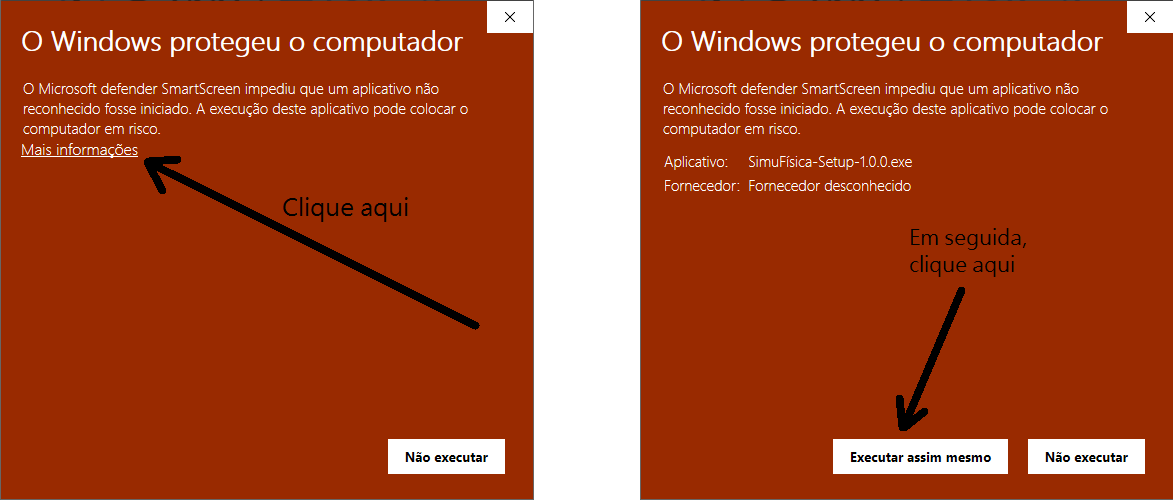
Windows often blocks the installation of apps from unknown sources. To work around this, follow the steps illustrated in the image below.
MacOS
SimuFísica installs normally, without issues. However, access to the app may be blocked, as shown in the message in the image below.
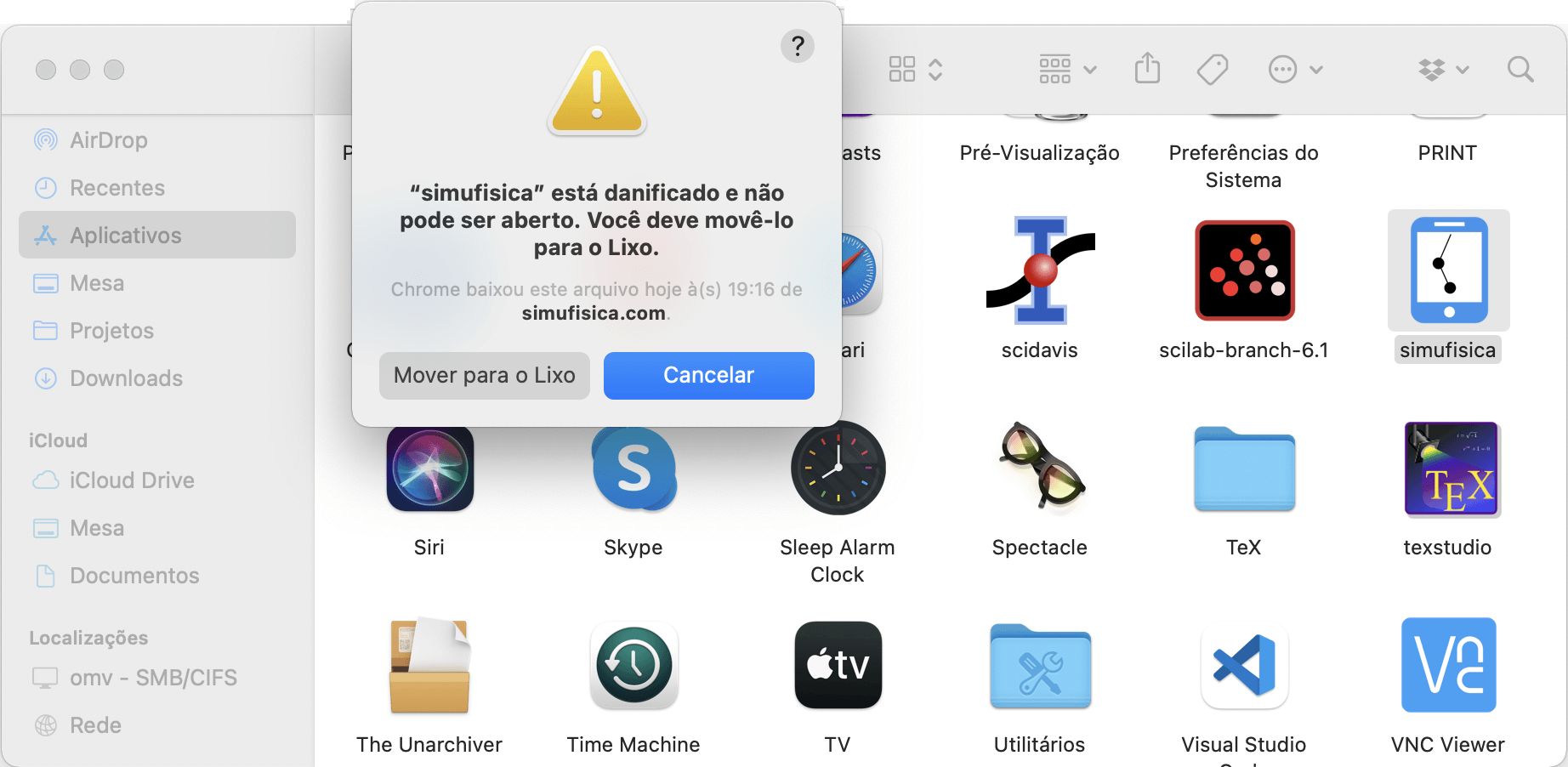
In that case, just open the macOS terminal and type the following command:
sudo xattr -rd com.apple.quarantine /Applications/simufisica.app
Then open the file normally by double-clicking the icon. If the app is in a different folder, adjust the path in the command.
Linux
For the AppImage file, the system may open a dialog box stating that the file type is unknown. In that case, follow these steps:
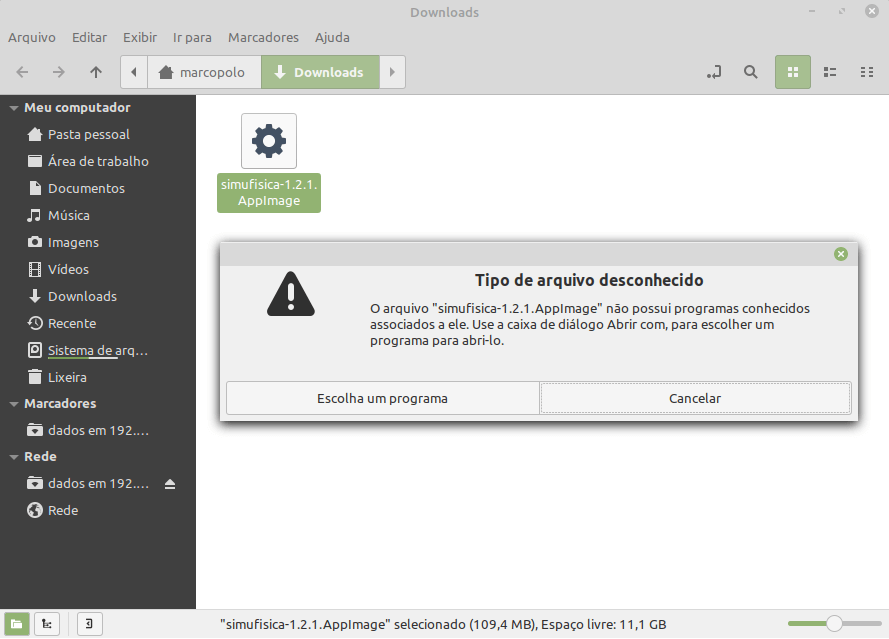
Open the terminal and go to the folder where the file is located:
cd Downloads
Then type:
chmod u+x simufisica-x.x.x.AppImage
Open the file normally by double-clicking the icon.